Connect your custom domain
from WhatsApp
You built a site by texting Adorie. Now point your own domain (like yourbrand.com) at it. Four taps in the app, one DNS record at your registrar, done.
https://adorie.app/r/.... Tap it to open the editor.Step-by-step
All four steps, in detail.
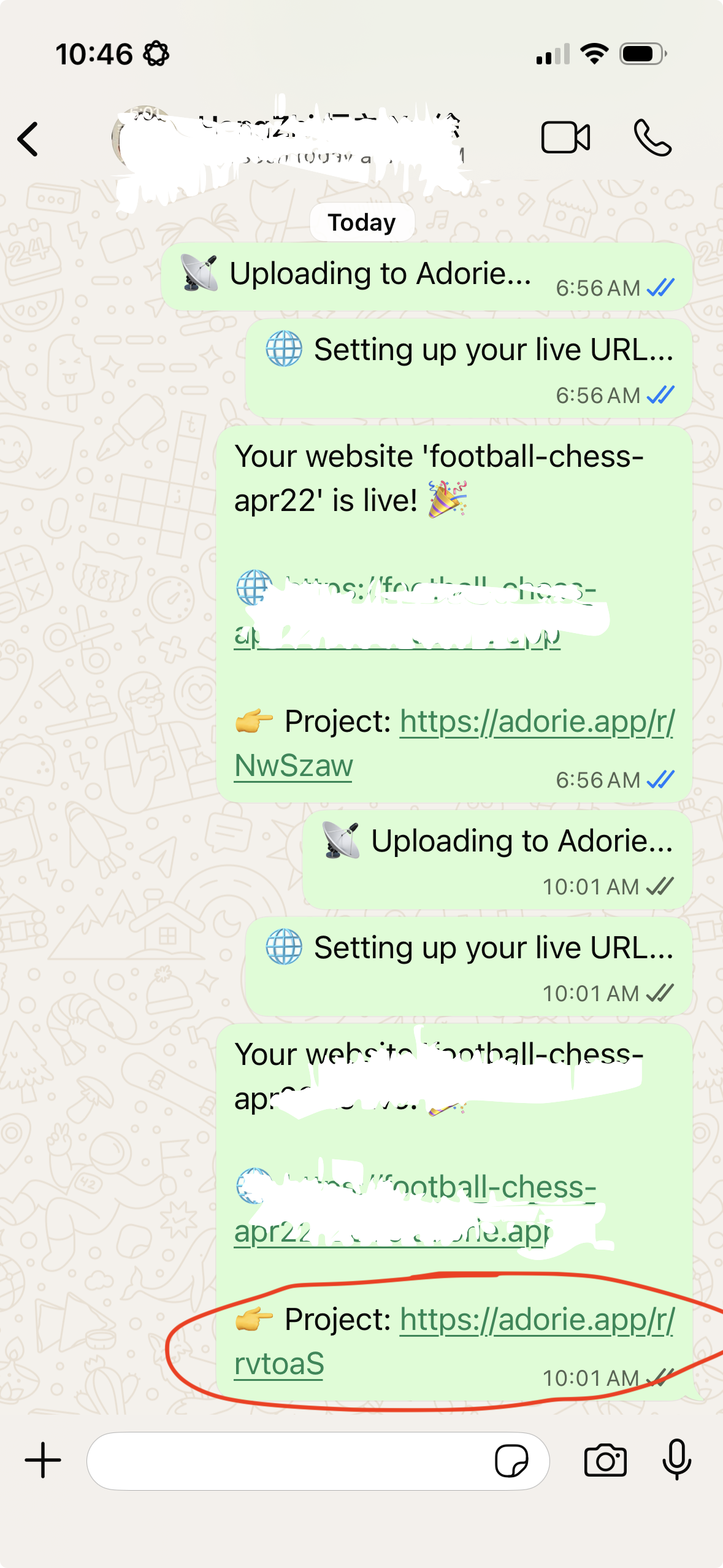
Get the project link
After Adorie builds your site, the WhatsApp chat sends back a project link like adorie.app/r/.... Tap it.
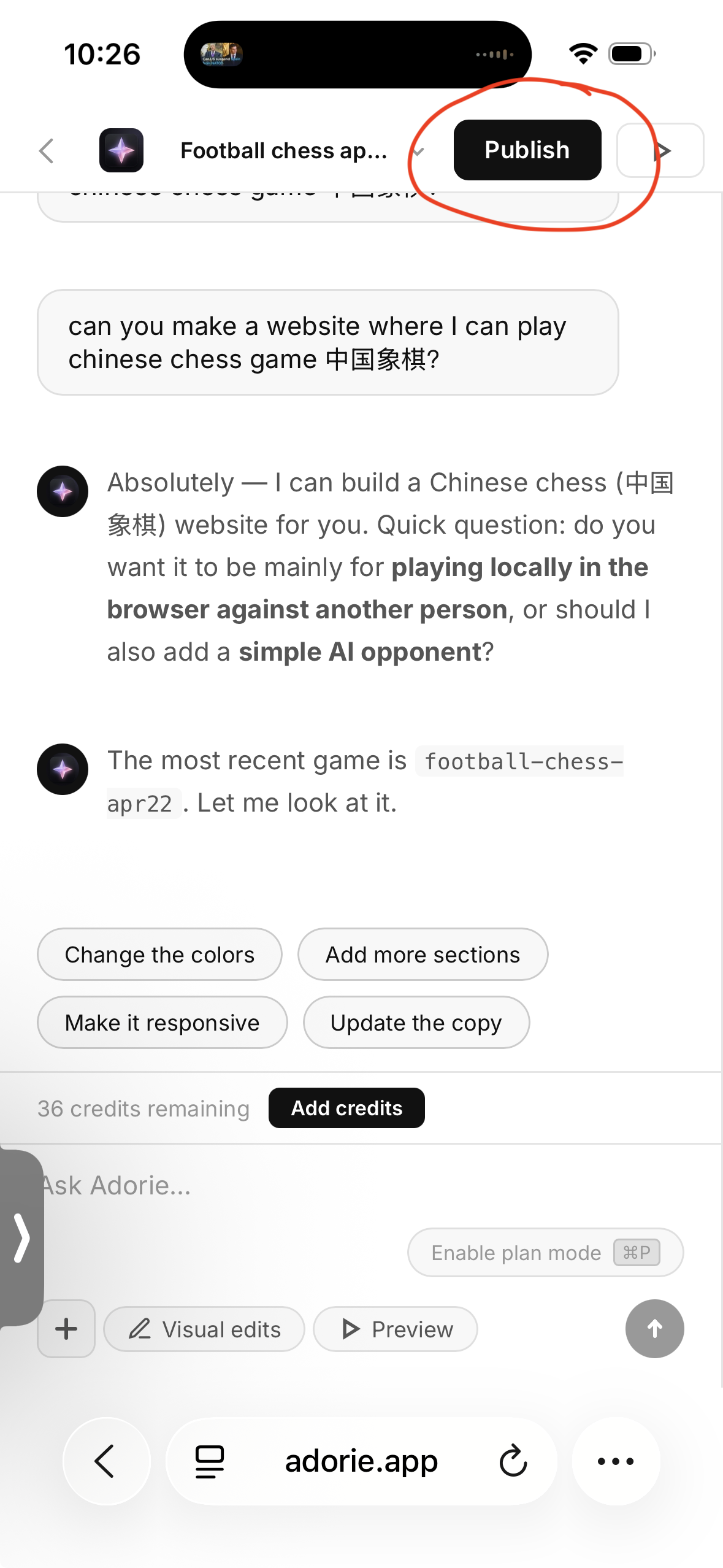
Tap Publish
The link opens the Adorie builder. Tap the black Publish button in the top-right corner.
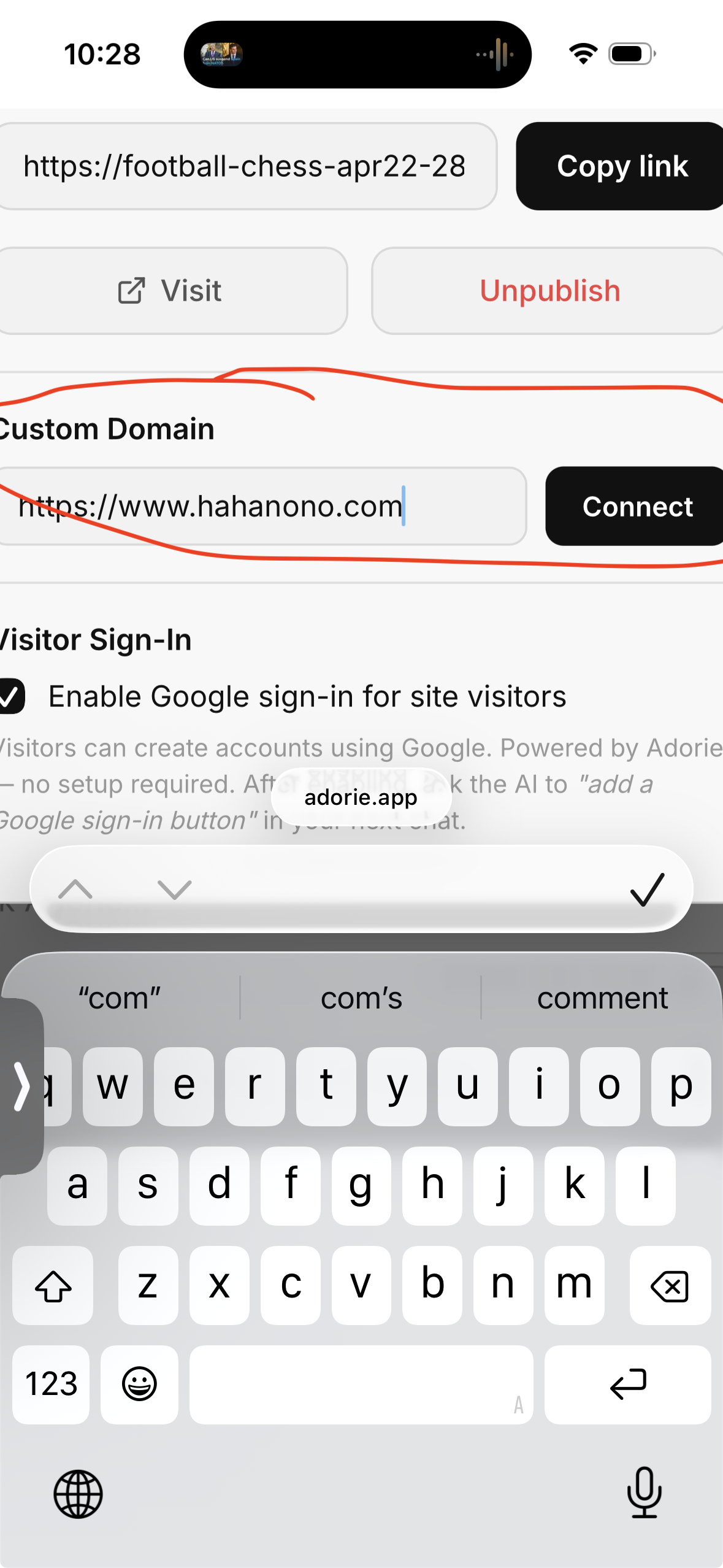
Enter your domain & Connect
In the publish panel, scroll to Custom Domain. Type your domain (e.g. www.hahanono.com) and tap Connect.
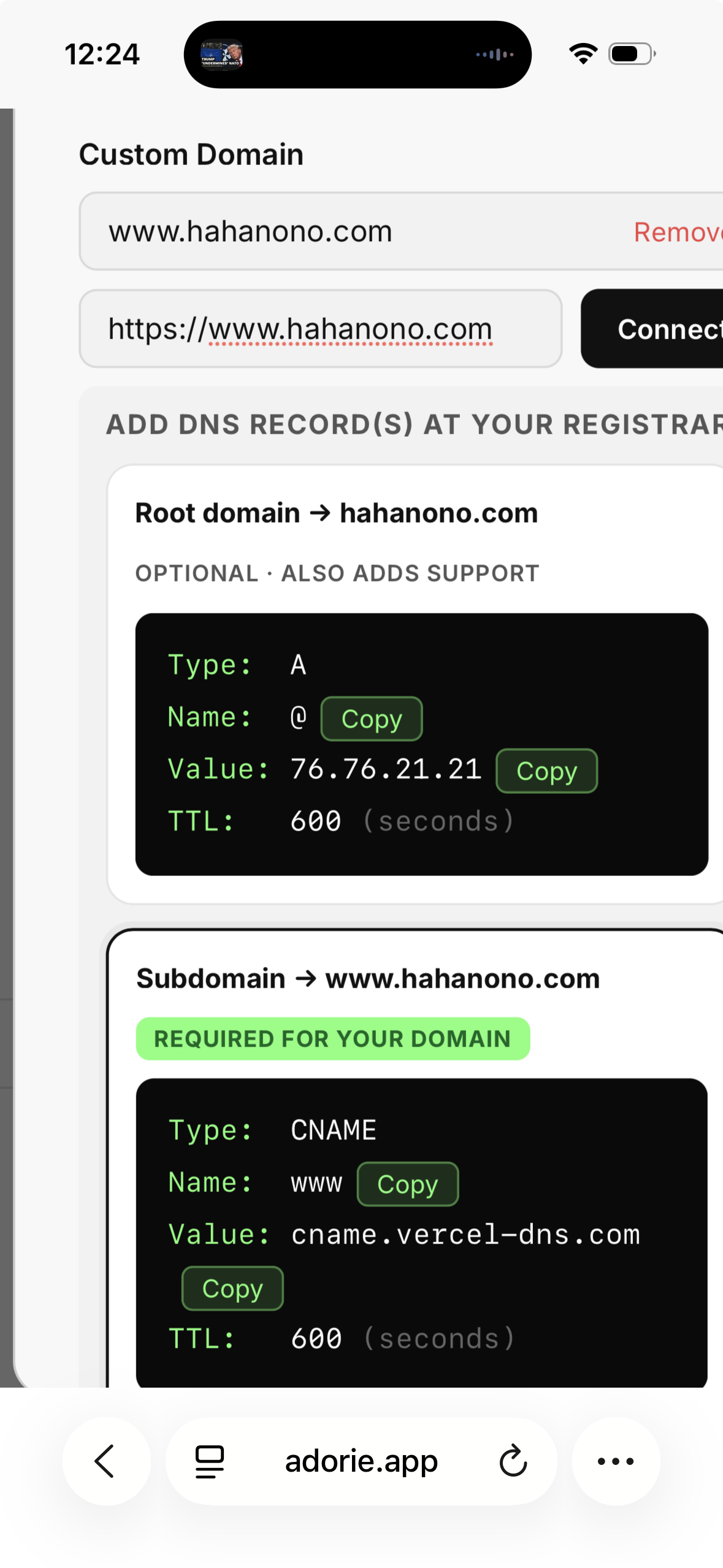
Copy the DNS record(s) and go to registrar like Godaddy etc.
Adorie shows two cards — an A record (root) and a CNAME (subdomain). The one matching what you typed is marked REQUIRED FOR YOUR DOMAIN. Tap Copy on Name + Value, paste them at your registrar. Add the other one too if you want both yourbrand.com and www.yourbrand.com to work.
📡 The DNS record (Step 4 in detail)
The exact record depends on whether you're using your root domain (hahanono.com) or a subdomain (www.hahanono.com). Adorie shows the exact values for your domain — here's the shape:
www (needs a CNAME)Want both hahanono.com AND www.hahanono.com to work? Add both records. Most registrars apply DNS in 5–30 minutes. SSL is auto-provisioned — no extra steps.
🦆 GoDaddy walkthrough
Editing DNS in the GoDaddy mobile app — 4 taps.
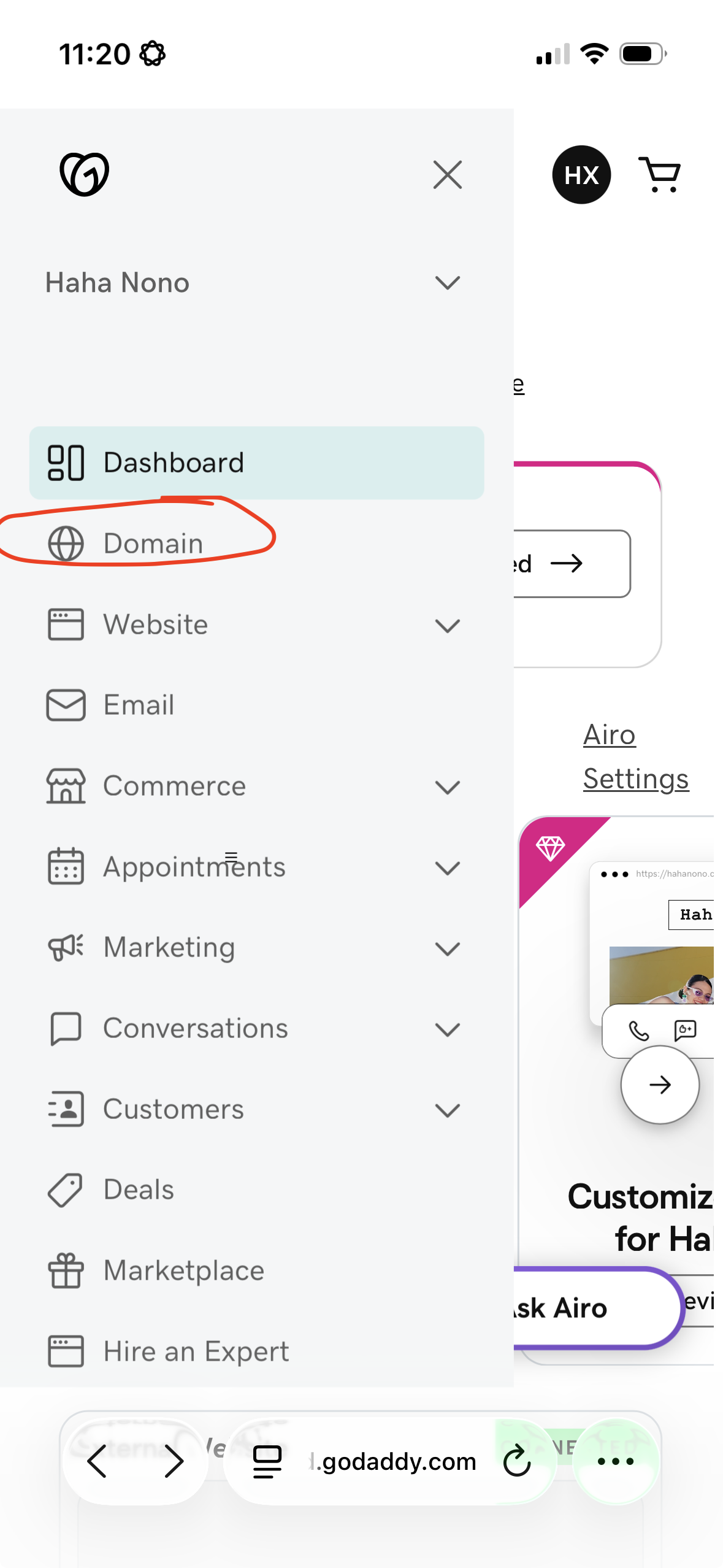
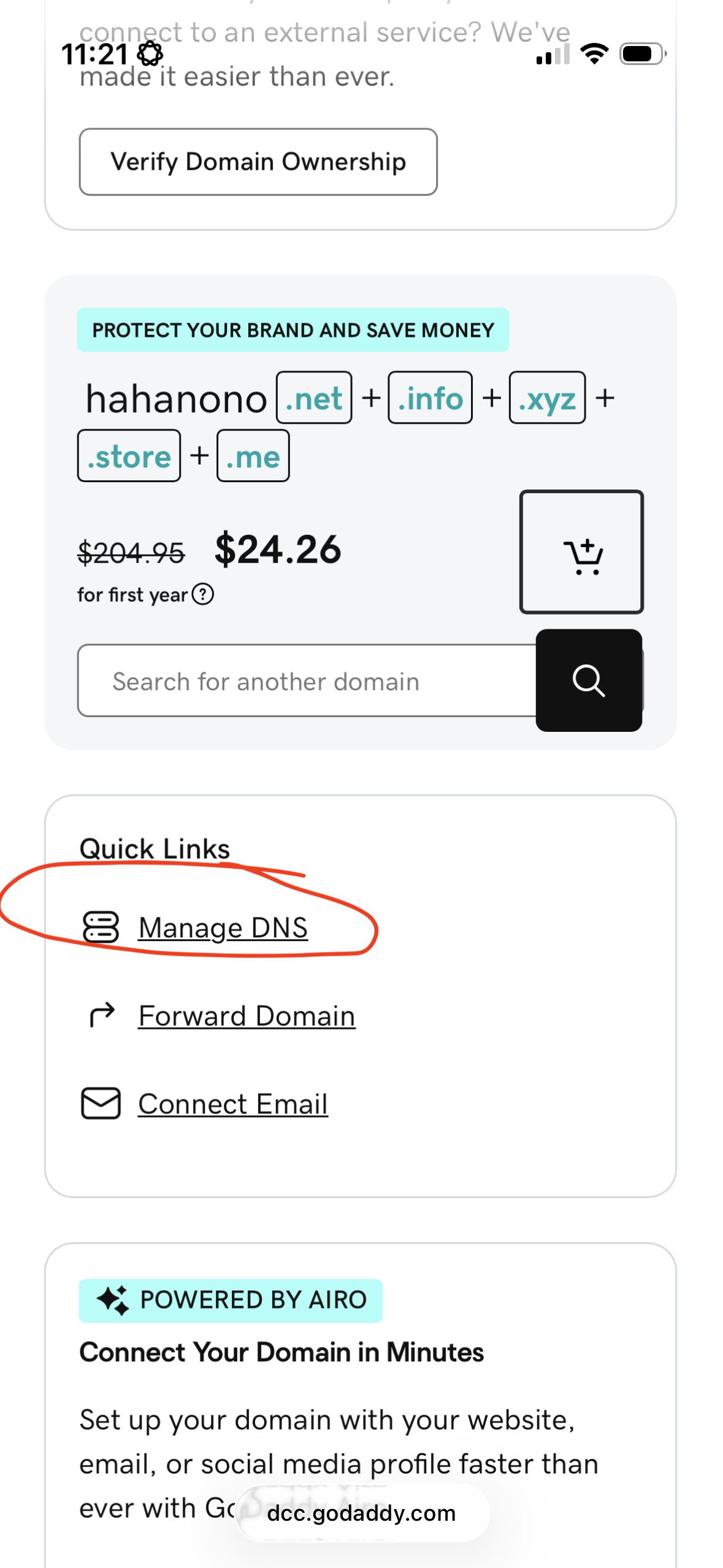
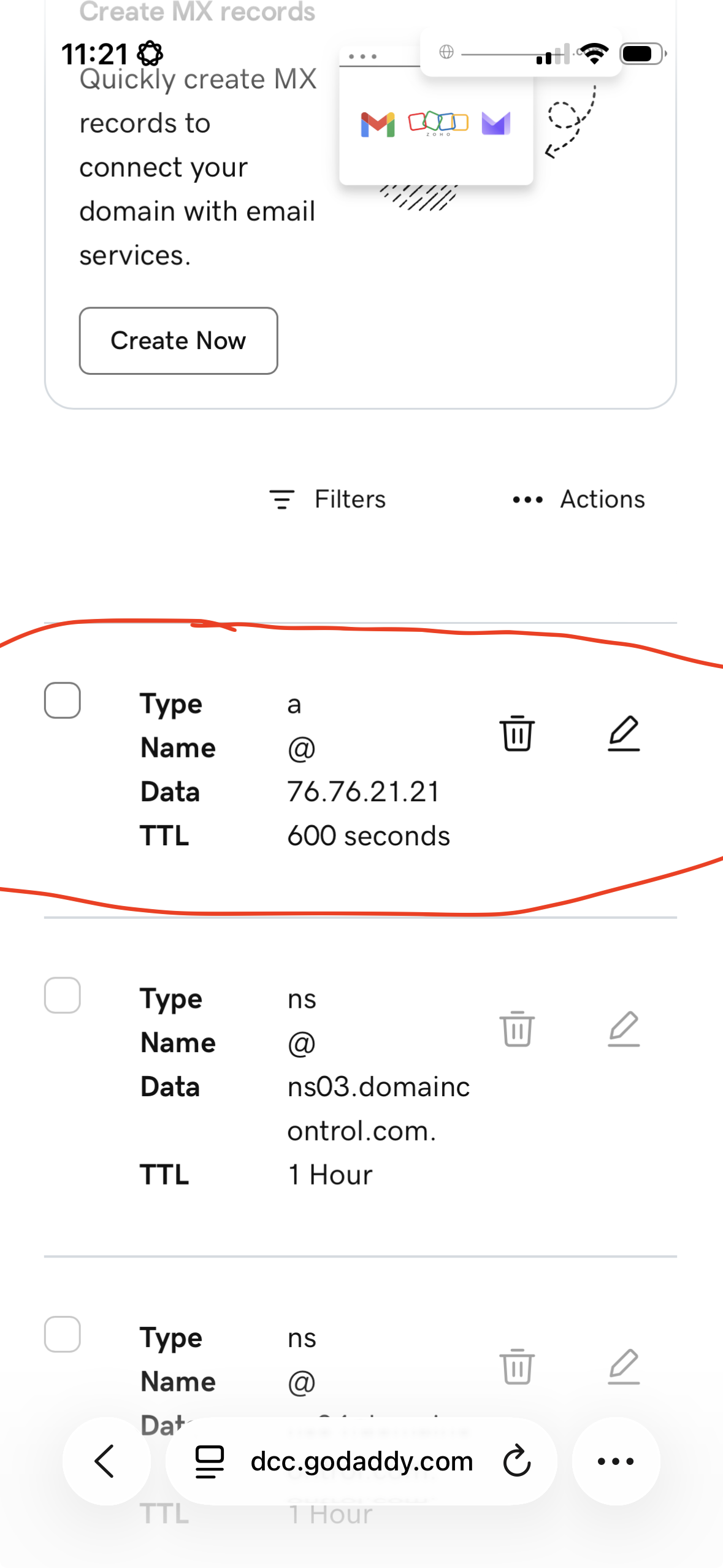
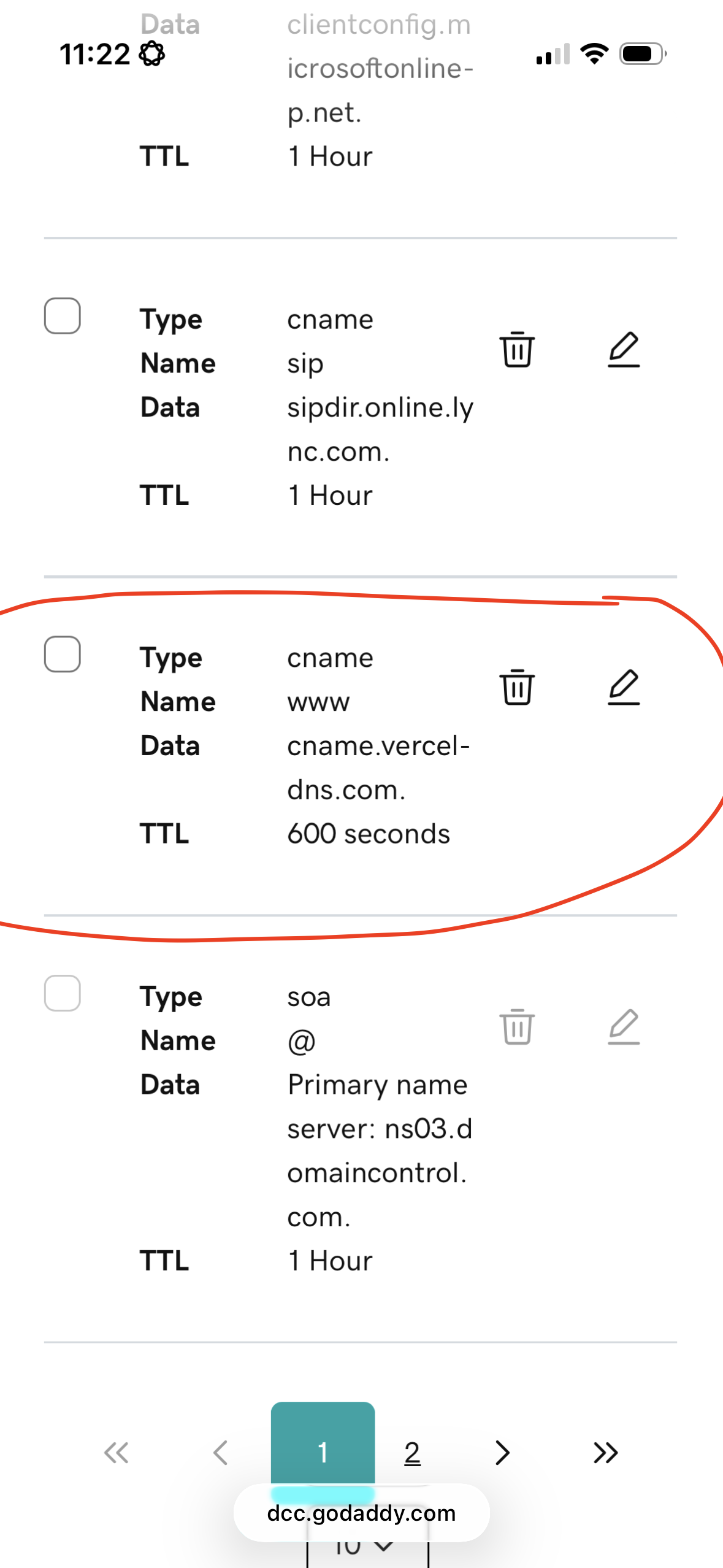
Tap "Domain"
Open the GoDaddy app, hit the menu icon, then tap Domain in the sidebar to see your domains list.
Open your domain → Manage DNS
Tap your domain to open its settings. Scroll to Quick Links and tap Manage DNS.
Edit the A record at @
Find the existing A record at @ (default points to GoDaddy's parking IP). Tap ✏️, change Data to 76.76.21.21, save. TTL 600s is fine.
Edit the CNAME at www
Scroll to the CNAME at www. Tap ✏️, change Data to cname.vercel-dns.com, save. Site goes live in 5–30 minutes.
⚠️ GoDaddy gotchas worth knowing
A at @ (parking IP, e.g. 76.223.105.230) and CNAME at www (pointing to @). Use the ✏️ pencil to edit in place — adding duplicates makes DNS unpredictable.NS or SOA recordsNS records (e.g. ns03.domaincontrol.com) and an SOA record. Leave them alone — they tell the world which servers host your DNS, and changing them breaks everything.🔌 Disconnecting a custom domain
Yes — you can disconnect a custom domain from a Vercel project directly through the Vercel Dashboard, via the Vercel REST API, or using the Vercel CLI.
- Log in to your Vercel Dashboard and select your project.
- Click Settings in the top navigation bar.
- Select Domains from the left-hand sidebar.
- Locate the custom domain you want to disconnect.
- Click the More Options (···) button next to the domain and select Delete or Remove.
- Confirm the removal when prompted.
.vercel.app deployment and all historical builds intact.